

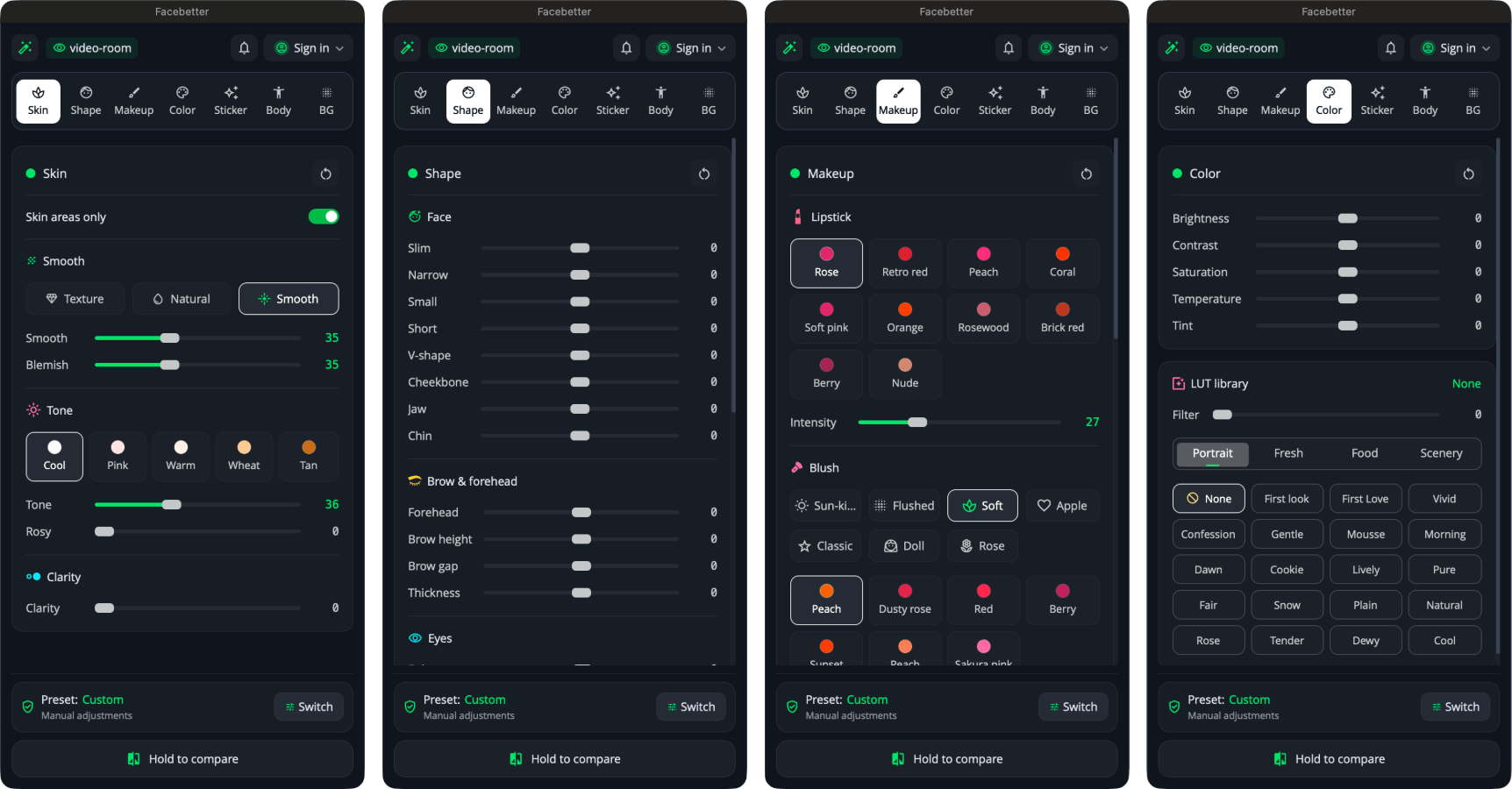
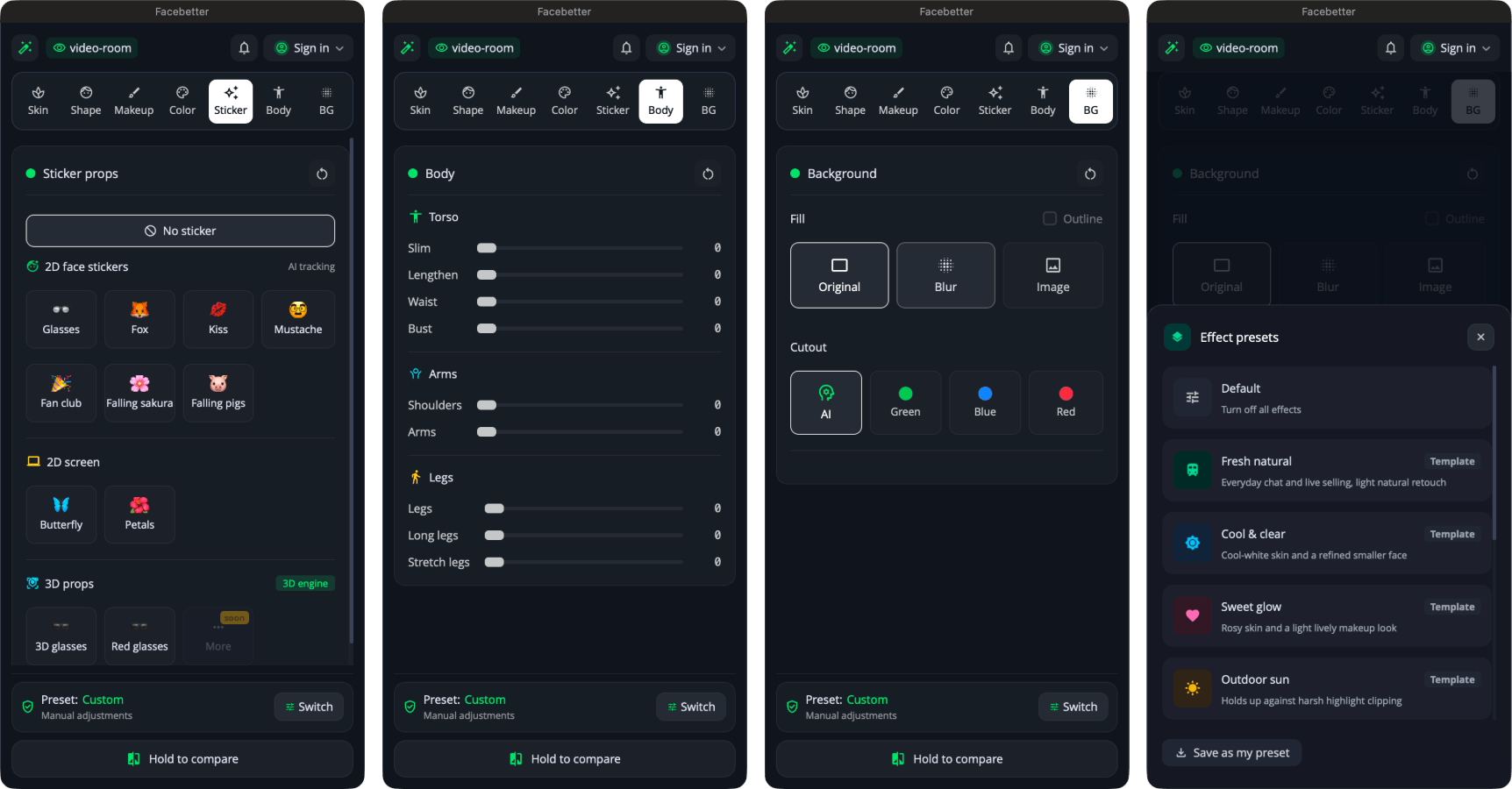
6Effect families
Skin, reshape, body, makeup, LUT, stickers — everything in one filter
A native filter for macOS, Windows, and Ubuntu. Skin smoothing, face reshaping, makeup, stickers, LUTs, and virtual background. Stream-ready.
macOS 13+ (Intel and Apple silicon) · Windows 10/11 64-bit · Ubuntu 22.04+ · OBS Studio 28+
v1.3.0 Release notes
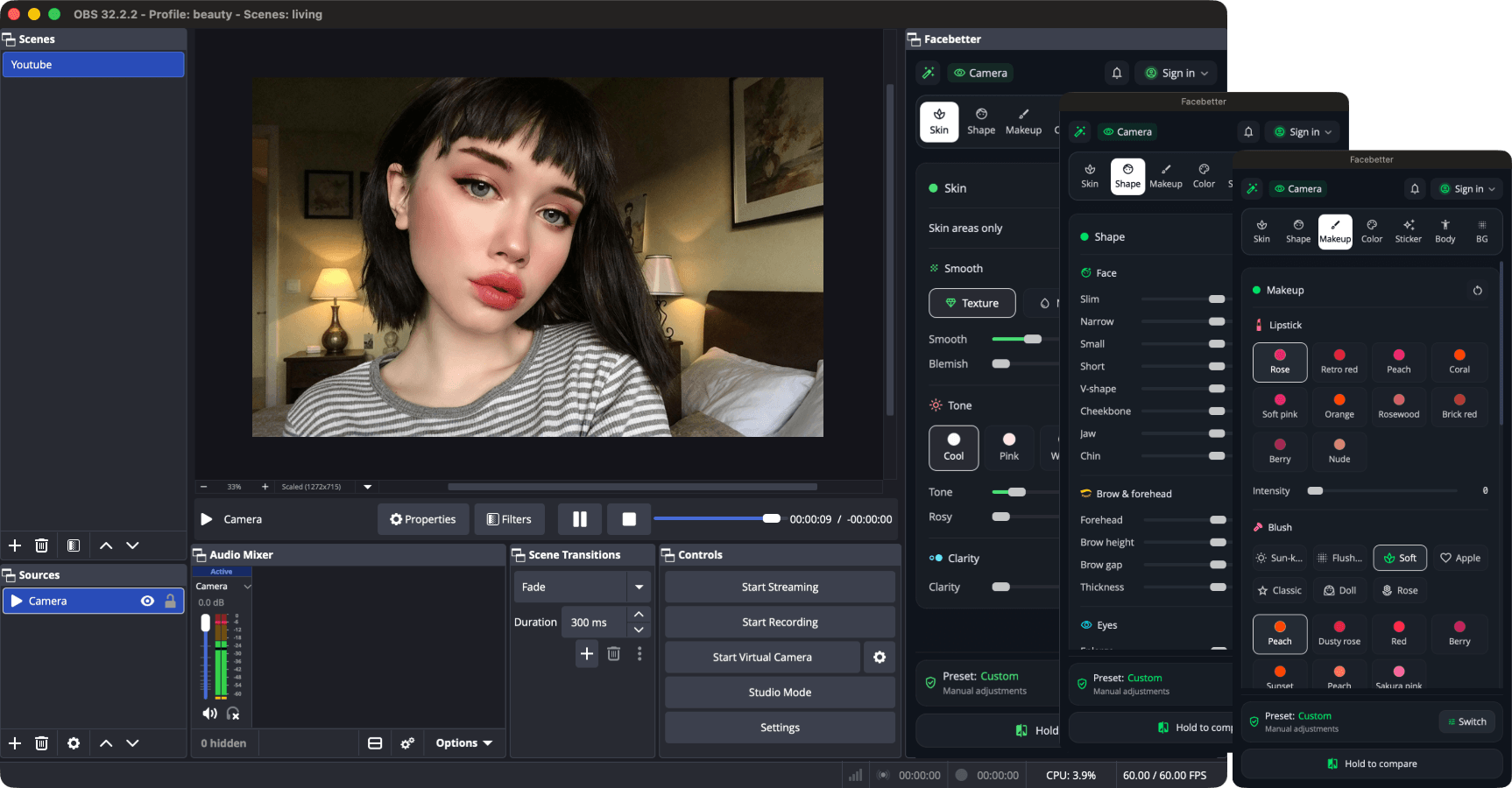
Looks great, runs fast, frames never leave this computer. Drop in a native filter and it just works.
6Effect families
Skin, reshape, body, makeup, LUT, stickers — everything in one filter
26Reshape controls
Tune face, eyes, and lips — save your look as a preset
BackgroundVirtual, one-click swap
AI cutout, plus green, blue and red screen keying
4K60fps output
Up to 4K at 60fps — sharp and smooth, live or recorded
GPUOn-device
Millisecond-class frames, steady for hours, easy on game and encode
EasyDock or float
Keep the panel inside OBS or float it out; adjust all sources at once or one by one
From streamers and creators using the OBS beauty plugin

Jay
Game streamer
Drop it on as a filter — no virtual camera setup. Beauty stays stable through long sessions.

Man
Entertainment live
Makeup and stickers track the face. Switching scenes doesn’t reset everything. Chat says I look more natural.

Marcus
Remote training
We push weekly meetings through OBS. Virtual background stays on-device, so IT is fine with it.

Lian
Performance stream
Smoothing isn’t chalky, even under average lights. Paying to drop the watermark is straightforward.

Ken
Tech reviews
Install and go. Controls aren’t noisy. Looks close to what I expected, fewer surprises.
Chen
Education live
Volunteers can set it up. We tried Windows and Mac — both worked.
Free: every effect. Watermark-free with a subscription.
$0
Try all effects in OBS. Output has a watermark.
$8.99 /mo
Watermark-free output. Billed monthly.
$69 /yr
About $5.75/mo — save 36% vs monthly.
macOS 13+ (Intel and Apple silicon) · Windows 10/11 64-bit · Ubuntu 22.04+ · OBS Studio 28+.
The free plan includes every beauty effect. Ubuntu is a beta build — feedback welcome.
v1.3.0 Release notes
Quit OBS completely before installing (the menu-bar icon too).
On macOS, unzip and open the .pkg. On Windows, unzip and run the setup.exe. If SmartScreen warns (unsigned), click More info → Run anyway. On Ubuntu, unpack the tar.gz, enter the folder, and run ./install.sh (installs to ~/.config/obs-studio/plugins/ by default).
Open OBS, select the source you want (camera, image, or video), and move a slider in the Facebetter panel. Facebetter Beauty is added to that source automatically. The switch is in the panel settings: Auto-add to sources.
Trouble installing? Email hello@facebetter.net and we'll help.
macOS 13+ · Windows 10/11 · Ubuntu 22.04+ · OBS Studio 28+. Subscription: unlimited devices.
No. All processing runs on your computer. No frame data leaves the machine.
Quit OBS completely. On macOS, unzip and open the .pkg. On Windows, unzip and run the setup.exe. If SmartScreen warns (unsigned), click More info → Run anyway. On Ubuntu, unpack the tar.gz, enter the folder, and run ./install.sh (installs to ~/.config/obs-studio/plugins/ by default). Then reopen OBS, select the source you want (camera, image, or video), and move a slider in the Facebetter panel. Facebetter Beauty is added automatically. If it is still missing, email hello@facebetter.net.
Dashboard → Subscription details → Cancel. It will not renew. You can keep using it until the current period ends.