

6Effect families
Skin, reshape, body, makeup, LUT, virtual background — polished and natural
Beauty effects inside Final Cut Pro, Motion, and After Effects. Skin, reshape, makeup, filters, and virtual background — live on the timeline.
macOS Apple silicon · Final Cut Pro / Motion available now · After Effects coming soon
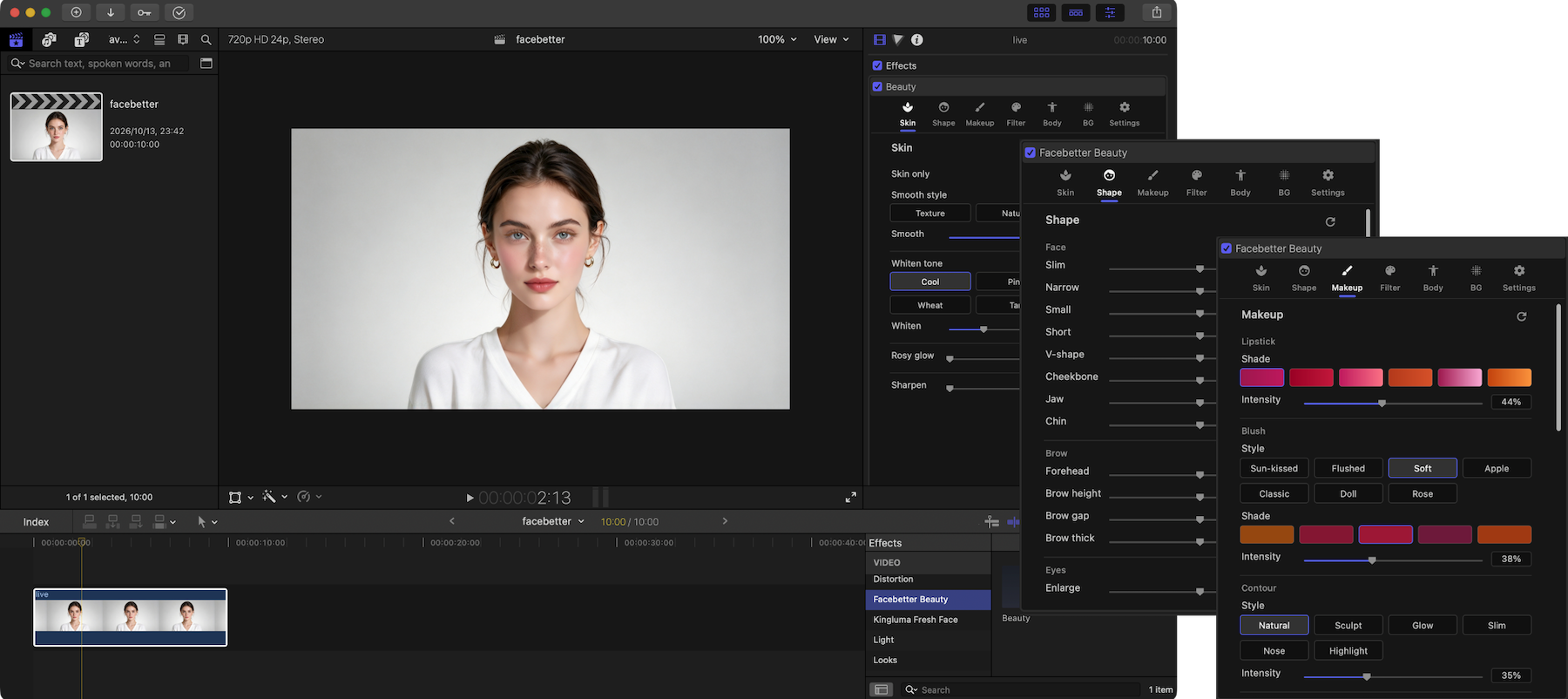
Looks great, snappy preview, frames stay on-device. Drop it on a clip.
6Effect families
Skin, reshape, body, makeup, LUT, virtual background — polished and natural
26Reshape controls
Fine facial controls on the timeline — export-ready polish
<10msGPU on-device
Millisecond-class preview with local accel — less drag on playback
StableNo cloud upload
Effects stay on your machine for long continuous runs — through export
EasyIn-host
Drop on a clip; clear parameter groups so tweaks stay easy
CoveredOngoing updates
Regular releases and responsive support — edit with confidence
Free includes every effect. Subscribe or buy lifetime for watermark-free output. One license covers Final Cut; After Effects is included when it ships.
$0
Try all effects. Output has a watermark.
$9.9 /mo
Watermark-free output. One license covers FCP and upcoming AE.
$89 /yr
About $7.42/mo — save ~25% vs monthly.
$129
Pay once, keep forever. After Effects included when it ships — no extra fee.
Final Cut build is available now. After Effects is coming soon.
The free plan includes every beauty effect.
Download the zip, unzip, and move Facebetter FCP Beauty.app into Applications.
Open the app and click Set up for Final Cut (registers the plugin and installs the Motion template).
Fully quit and reopen Final Cut Pro, find Facebetter Beauty in Effects, and drag it onto a clip.
Trouble installing? Email hello@facebetter.net and we'll help.
Final Cut Pro and Motion on macOS Apple silicon today. After Effects is coming soon; one subscription covers every host.
No. All processing runs on your computer. No frame data leaves the machine.
Unzip, move Facebetter FCP Beauty.app into Applications, open it and click Set up for Final Cut, then fully quit and reopen Final Cut Pro. Look for Facebetter Beauty under Effects.
Open the app and finish Set up for Final Cut, then fully quit and reopen Final Cut Pro. Search for Facebetter Beauty in Effects. Still stuck? Email hello@facebetter.net.
Dashboard → Video editing plugin → Cancel. It will not renew. You can keep using it until the current period ends.