

Professional skin
Natural smoothing without a chalky look. Skin texture stays. Rosiness and sharpening stay adjustable.
3 smoothing styles · 5 whitening tones
Beauty effects inside Final Cut Pro, Motion, and After Effects. Skin, reshape, makeup, filters, and virtual background — live on the timeline.
macOS Apple silicon · Final Cut Pro / Motion available now · After Effects coming soon
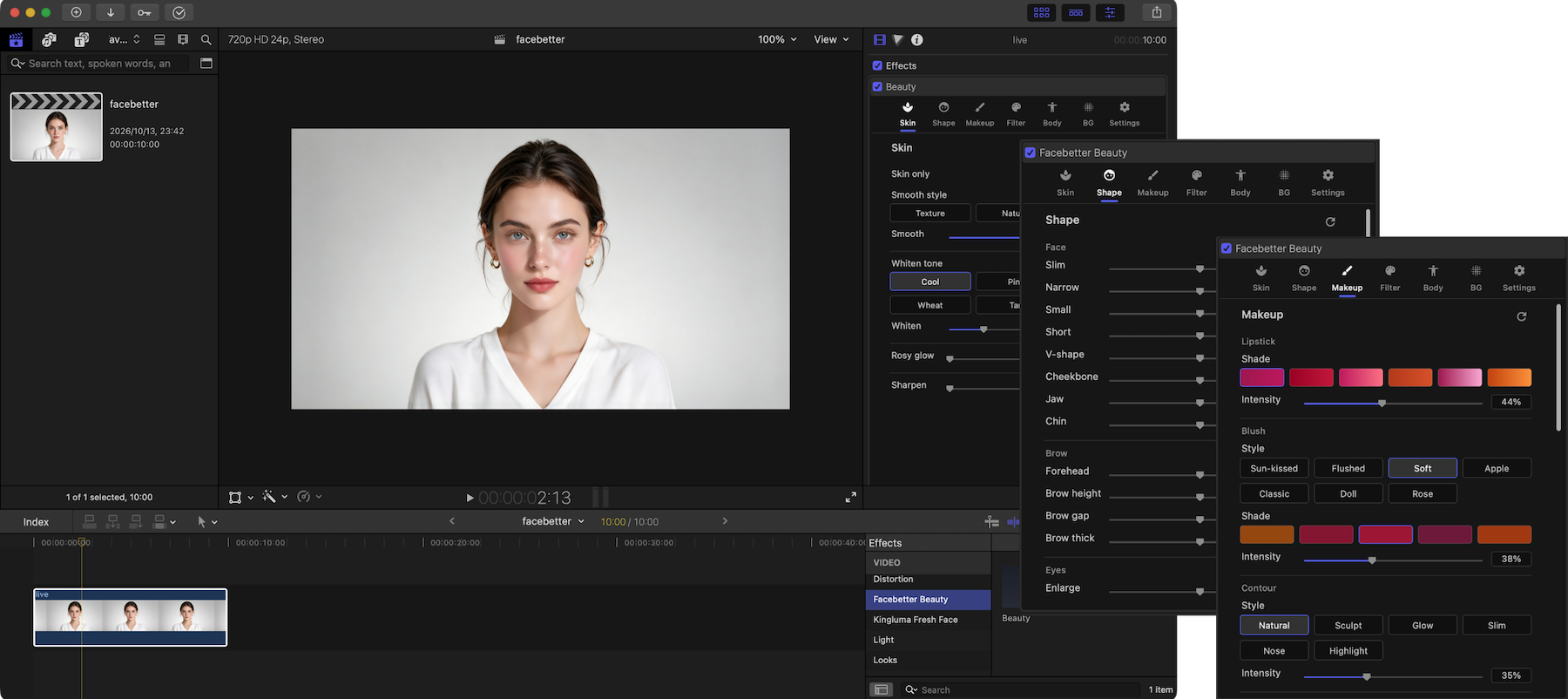
Install the plugin and drop it on a clip.
Natural smoothing without a chalky look. Skin texture stays. Rosiness and sharpening stay adjustable.
3 smoothing styles · 5 whitening tones
26 two-way controls for features, brows, and eyes, without a stiff warp.
26 reshape
Slim the waist, legs, shoulders, and arms. Longer legs and chest.
7 body
Lipstick, blush, contour, eyeshadow, liner, brows, lashes, and contacts, fitted live.
Many styles and shades
Cinematic color. What you see is what you get.
20+ LUT
Virtual background and chroma key stay on this machine. No upload.
Chroma · on-device
Free includes every effect. Subscribe or buy lifetime for watermark-free output. One license covers Final Cut; After Effects is included when it ships.
$0
Try all effects. Output has a watermark.
$9.9 /mo
Watermark-free output. One license covers FCP and upcoming AE.
$89 /yr
About $7.42/mo — save ~25% vs monthly.
$129
Pay once, keep forever. After Effects included when it ships — no extra fee.
Final Cut build is available now. After Effects is coming soon.
The free plan includes every beauty effect. Builds are not signed/notarized yet: if macOS says the app is damaged or cannot be opened, see the FAQ below.
Download the zip, unzip, and move Facebetter FCP Beauty.app into Applications.
Open the app and click Set up for Final Cut (registers the plugin and installs the Motion template).
Fully quit and reopen Final Cut Pro, find Facebetter Beauty in Effects, and drag it onto a clip.
Trouble installing? Email hello@facebetter.net and we'll help.
Final Cut Pro and Motion on macOS Apple silicon today. After Effects is coming soon; one subscription covers every host.
No. All processing runs on your computer. No frame data leaves the machine.
Unzip, move Facebetter FCP Beauty.app into Applications, open it and click Set up for Final Cut, then fully quit and reopen Final Cut Pro. Look for Facebetter Beauty under Effects.
Builds are not signed/notarized yet, so Gatekeeper may falsely report damage. Right-click the app → Open → Open; or use System Settings → Privacy & Security → Open Anyway; or run: xattr -cr "/Applications/Facebetter FCP Beauty.app".
Open the app and finish Set up for Final Cut, then fully quit and reopen Final Cut Pro. Search for Facebetter Beauty in Effects. Still stuck? Email hello@facebetter.net.
Dashboard → Video editing plugin → Cancel. It will not renew. You can keep using it until the current period ends.