Run Android Sample Application
Environment Requirements
- Android Version:
Android 5.0and above - Development Language:
Java - Architecture Support:
armeabi-v7a,arm64-v8a
Get Sample Source Code
Clone the GitHub repository locally, open the project in the android/demo directory using Android Studio.
bash
git clone https://github.com/pixpark/facebetter-sdk.gitConfigure Application Information and Keys
Bind Application Package Name
Follow the instructions on this page to bind your Android application package name (App Package Name) in the console, for example: com.example.app
Get AppID and AppKey
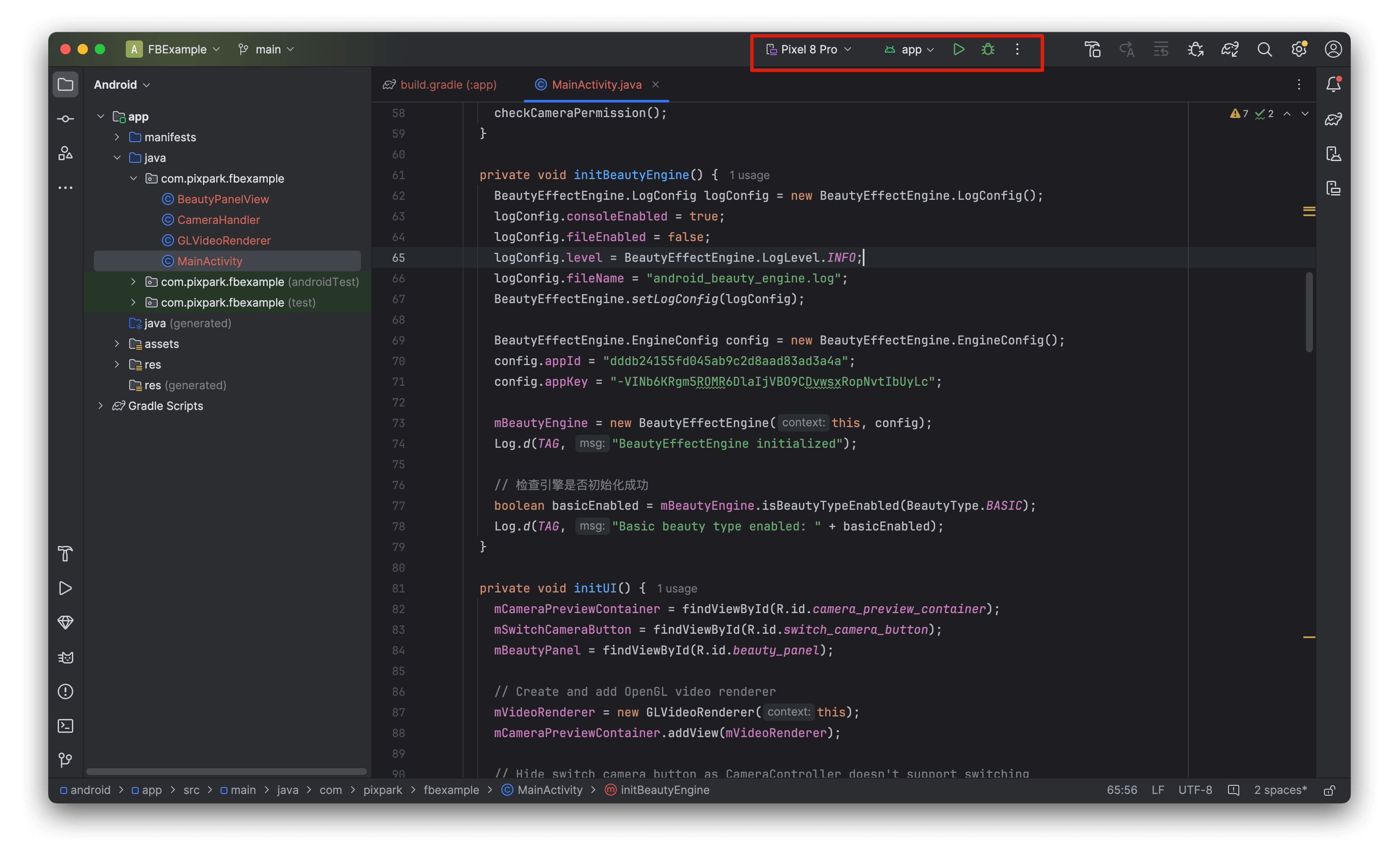
Follow the instructions on this page to get your appid and appkey. Open MainActivity.java in the project and modify the appid and appkey.
java
BeautyEffectEngine.EngineConfig config = new BeautyEffectEngine.EngineConfig();
config.appId = "your appId";
config.appKey = "your appkey";
// Optional: If licenseJson is provided, license data verification takes priority, appId and appKey are not required
// config.licenseJson = "your license json string";

mBeautyEngine = new BeautyEffectEngine(this, config);
TIP
licenseJson has higher priority than appId + appKey. If licenseJson is provided, you don't need to configure appId and appKey.
Run the Project
Sync the project in Android Studio, select a running device, and run it.